

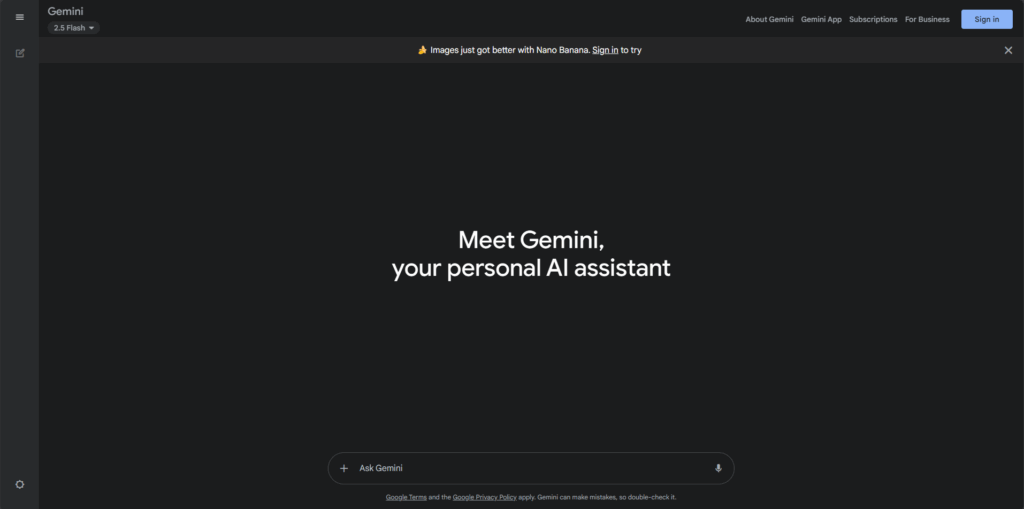
Visit Google AI Studio (Gemini) website for full experience
Remarks
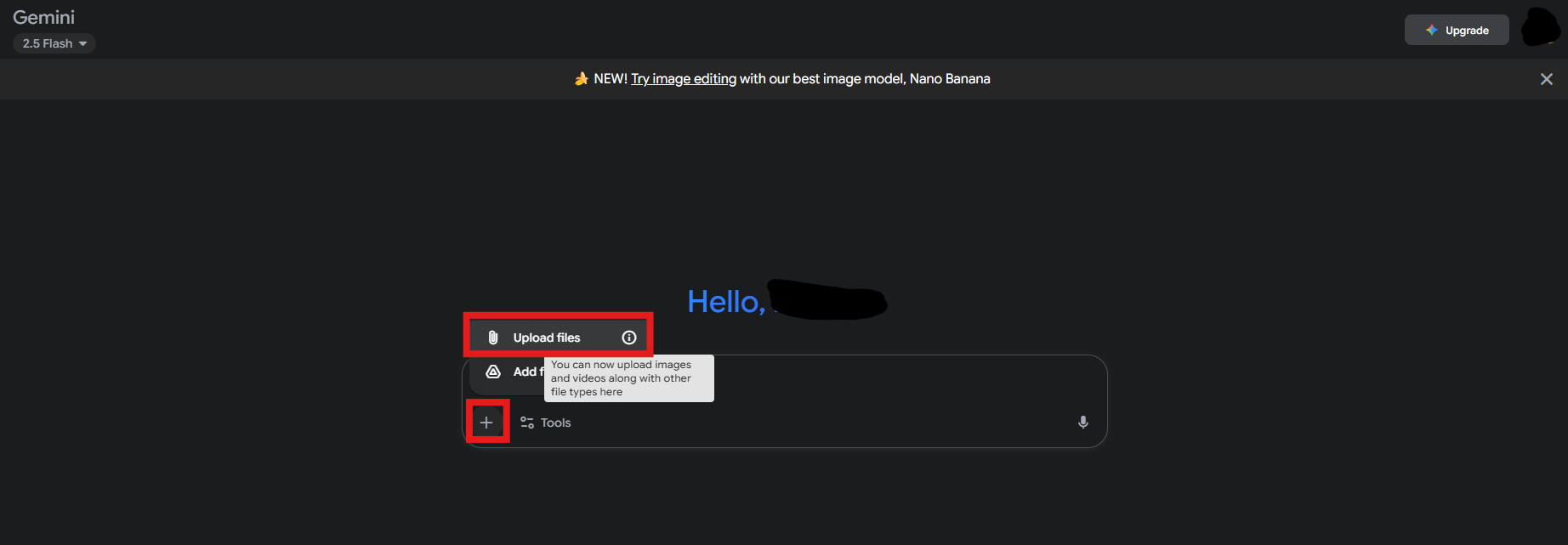
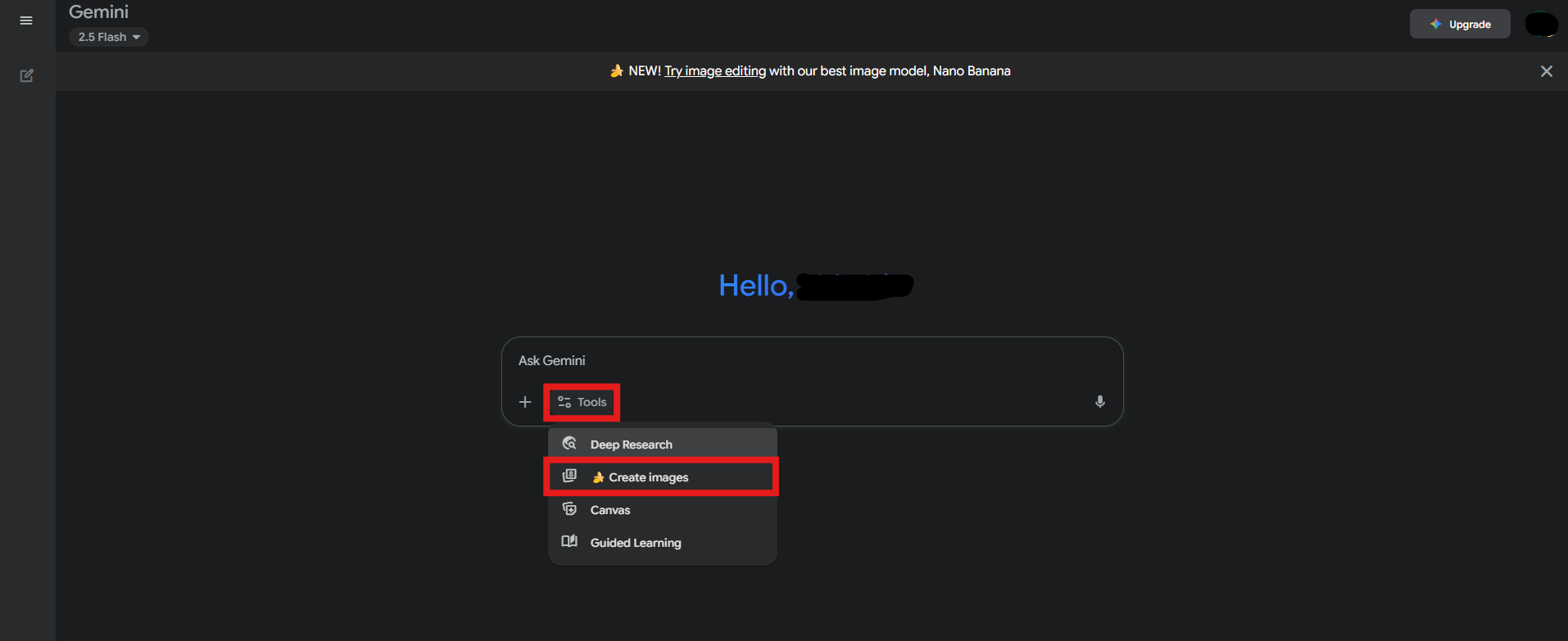
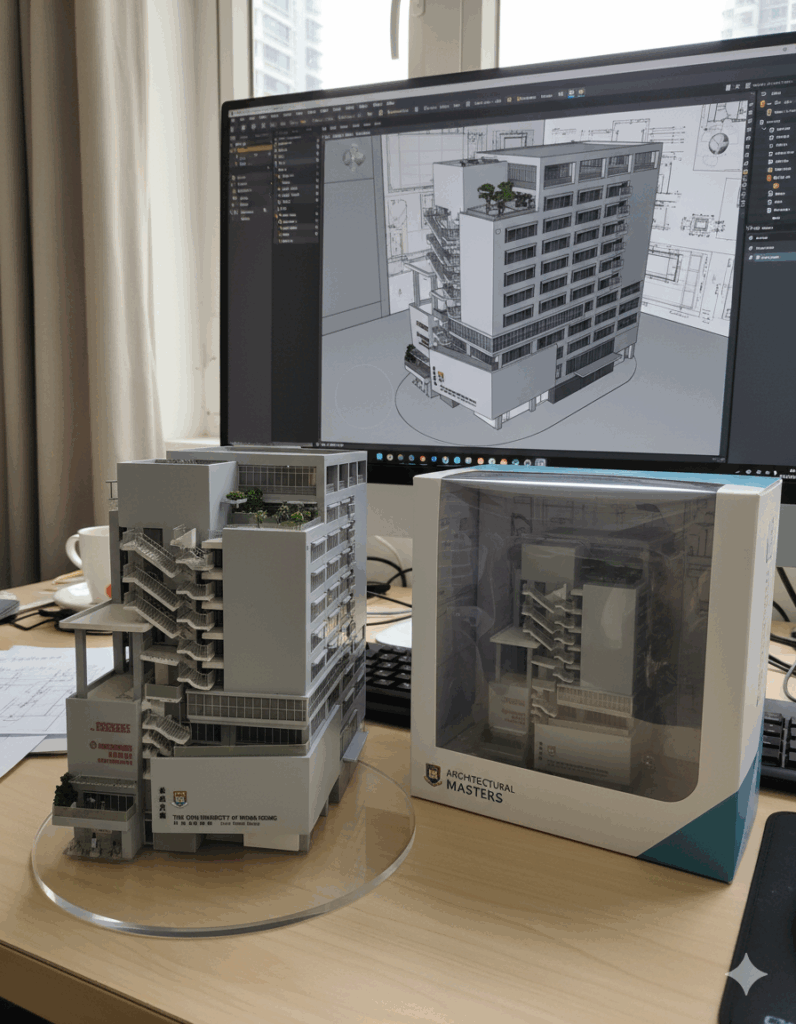
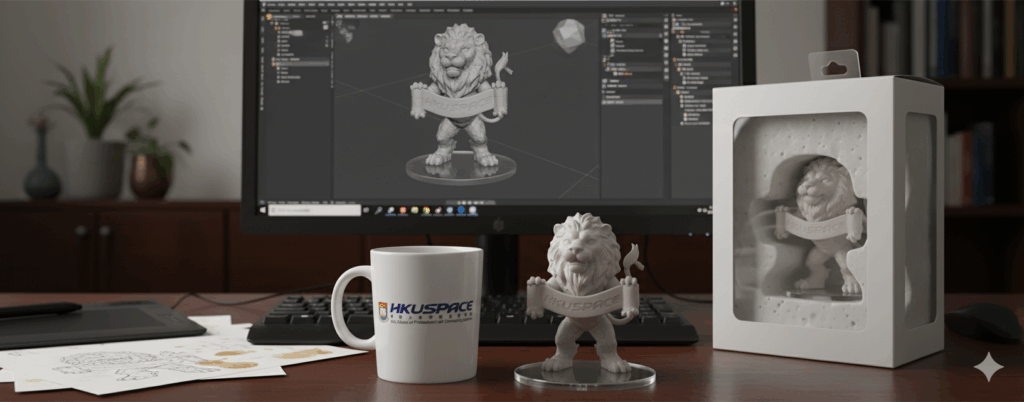
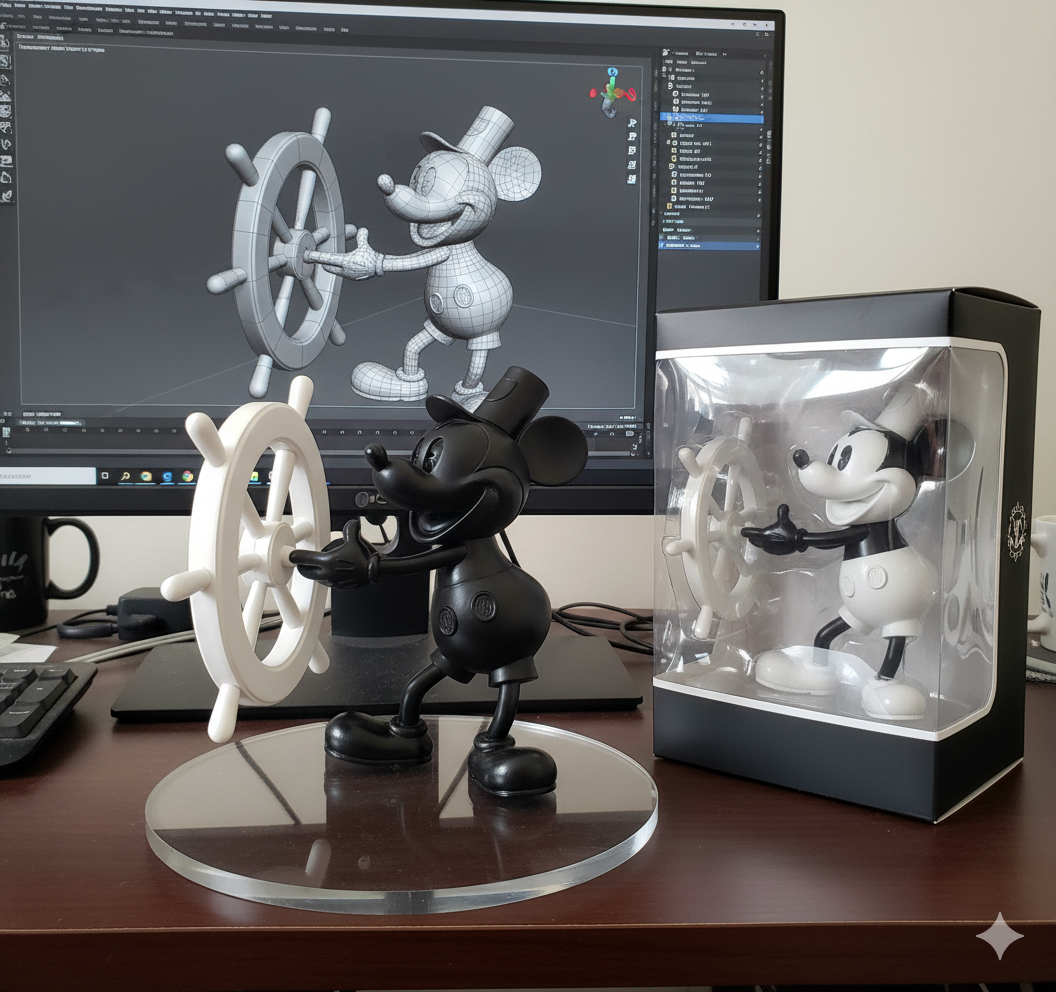
Nano Banana AI (also known as Gemini 2.5 Flash Image) is an advanced image generation and editing model developed by Google DeepMind. Launched in August 2025, it represents a significant upgrade in AI-powered visual tools, allowing users to create, modify, and enhance images using simple natural language prompts. Unlike traditional photo editors that require layers, masks, or manual adjustments, Nano Banana leverages multimodal AI to understand context, maintain character consistency (e.g., keeping a person’s face or pet’s appearance intact across edits), and produce photorealistic or artistic results in seconds. It’s integrated into the Google Gemini app and API, making it accessible for casual users, creators, designers, and developers. The tool excels in tasks like background swaps, object addition/removal, style transfers, and multi-step edits, outperforming competitors like Flux Kontext in prompt accuracy and scene preservation. Originally surfacing mysteriously on testing platforms like LMArena where it topped blind tests, it’s now officially part of Google’s ecosystem, with free and paid access options.
- Photo Editing:
- Transform existing images by describing changes, such as “replace the background with a snowy mountain” or “add a tutu to my dog while keeping its face the same.”
- It’s ideal for personal photos, social media enhancements, or quick fixes like object removal and lighting adjustments.
- Content Creation:
- Generate new images from text prompts for marketing, fashion (e.g., virtual outfit try-ons), product shots, or artistic concepts like “a cat eating a banana in a fancy restaurant under the Gemini constellation.”
- Professional and Creative Tools:
- Supports blending multiple images, style applications (e.g., applying a vintage filter from one photo to another), and consistent character rendering for comics, avatars, or video storyboards.
- Developer Integration:
- Via the Gemini API, it’s used for building apps, automation pipelines, or custom AI tools, with features like multi-image fusion and high-speed generation (1-2 seconds per edit).
- Everyday Applications:
- Fun edits for family photos, pet images, or viral content, such as placing friends in historical scenes or surreal environments.
- It’s praised for its speed, cost-effectiveness, and ability to handle complex, contextual instructions without technical expertise.
Limitations:
- Usage Quotas:
- Free users in the Gemini app are limited to about 100 image edits per day, which may restrict heavy experimentation or professional workflows.
- Paid subscribers (e.g., Gemini Advanced) get up to 10 times more, but exact limits depend on the plan.
- Watermarking:
- All generated or edited images include a visible watermark and Google’s invisible SynthID to indicate AI origin, which may not be ideal for commercial use without removal options.
- Preview/Experimental Status:
- As a relatively new model (launched in 2025), it may occasionally produce subtle inconsistencies in highly complex multi-step edits or with very abstract prompts.
- It’s still evolving, and Google notes it’s experimental in some contexts.
- Dependency on Prompts:
- Results rely heavily on clear, descriptive language; vague or overly intricate prompts can lead to suboptimal outputs, though it’s better than predecessors at interpreting intent.
- No Offline Access:
- Requires an internet connection and Google account; it’s not available as a standalone downloadable tool without API integration.
- Ethical and Bias Considerations:
- Like other AI models, it may inherit biases from training data, potentially affecting diversity in generated faces or scenes.
- Google emphasizes responsible use, but users should review outputs for accuracy.
- Platform Limitations:
- Primarily web/app-based; while fast, it doesn’t support advanced features like video editing or 3D modeling yet.
- Remarks:
- These limitations are mitigated by its free tier and ongoing updates, but for unlimited or specialized needs, third-party apps or pro subscriptions are recommended.









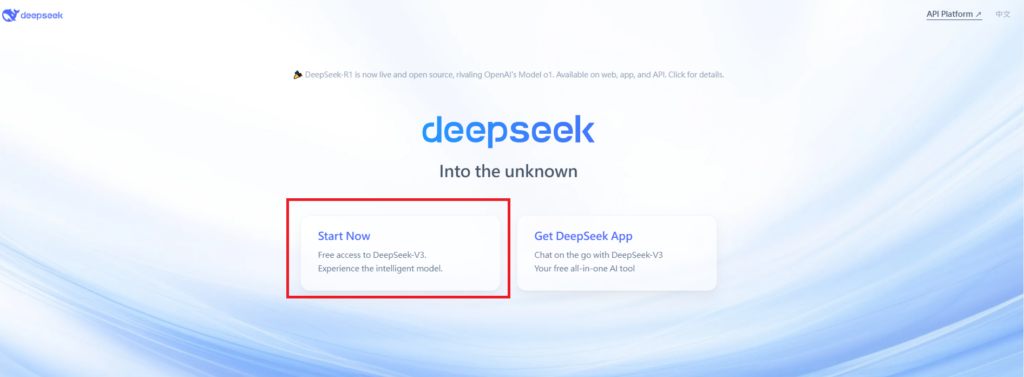
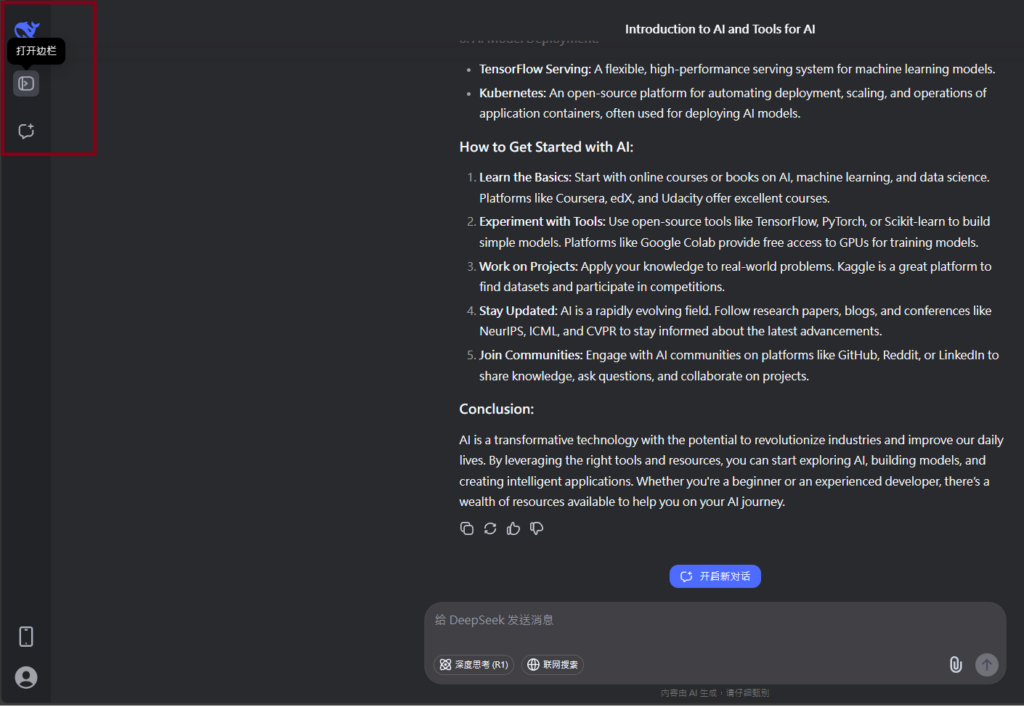
Visit Deepseek website for full experience
Remarks
DeepSeek is an AI-powered tool designed for deep information retrieval, analysis, and content generation. It is commonly used in areas such as:
- Advanced Information Retrieval
- DeepSeek can process and analyze large datasets to extract relevant insights.
- It helps users find precise information beyond standard search engines.
- Natural Language Processing (NLP) Applications
- Used for text summarization, sentiment analysis, and question-answering systems.
- Supports various languages and can generate human-like responses.
- AI-Assisted Research and Writing
- Helps researchers analyze academic papers, generate summaries, and suggest references.
- Useful for drafting articles, reports, and creative writing.
- Code Assistance and Debugging
- Provides AI-powered code suggestions, optimizations, and bug fixes.
- Supports multiple programming languages, aiding developers in software development.
- Business and Decision-Making Support
- Analyzes market trends, customer feedback, and financial data for businesses.
- Assists in generating insights for strategic decision-making.
limitation:
- Accuracy and Hallucination Issues
- AI models can sometimes generate incorrect or misleading information.
- Requires human verification before relying on outputs.
- Limited Real-Time Data Access
- May not always provide the latest information if it’s not connected to live data sources.
- Some AI models work with pre-trained datasets, limiting real-time updates.
- Context Limitations
- Struggles with highly nuanced or ambiguous queries.
- Long conversations may lead to context loss or inconsistencies.
- Ethical and Bias Concerns
- AI models can reflect biases present in training data.
- Requires careful consideration when used in sensitive applications.
- Computational Resource Constraints
- Running deep learning models requires significant computational power.
- Latency issues may arise during complex queries or large-scale data analysis.


Lorem ipsum dolor sit amet, consectetur adipiscing elit. Ut elit tellus, luctus nec ullamcorper mattis, pulvinar dapibus leo.