The average sales rep spends only 40% of their time actually selling. The rest is eaten up by necessary, but lower-value work: customer relationship management (CRM) updates, prospect research, email drafting, and endless context-switching between tools. Before you know it, the day has passed and you’ve spent only a small fraction of your time on the things that close deals and deliver value for customers.
Amazon Quick is an AI assistant for work that turns questions into answers, answers into actions, and actions into outcomes. Quick helps reps spend more time selling and less time on administrative tasks, whether you’re working in the browser, the desktop app, or directly within Microsoft 365, Outlook, and other tools you already use every day. The result? Your sales team can cover more territory, close deals faster, and deepen customer loyalty at any scale.
Companies like 3M, AWS Global Sales, and Amazon are already using Quick to unlock their sellers’ full potential. See how AWS Global Sales transforms insights delivery, AWS sales teams stay current on new launches, and Amazon’s journey deploying Quick Suite across thousands of users.
In this post, we walk through a few ways that Quick delivers on this promise. We cover the entire sales cycle, from identifying your highest-priority prospect, contacting them, working the deal to close, and keeping the CRM up to date as the account matures, while protecting your scarcest resource: your time.
Lead scoring and prospect prioritization: focus on the highest-value opportunities
You’re staring at a list of 200 leads in your CRM. Some filled out a form 6 months ago. Others downloaded a whitepaper last week. A few replied to cold email messages. Which ones deserve your attention today?
This challenge is the norm. Most sales teams lack visibility into which leads are actually ready to buy, leading to missed opportunities and longer sales cycles. Or, scarce resources are used prioritizing smaller opportunities at the expense of the largest ones.
Amazon Quick helps you identify and prioritize high-intent prospects automatically by connecting to your CRM, email, web analytics, and support systems to analyze engagement signals and dynamically rank leads by buying intent. With custom chat agents that pull context from internal documents, opportunity details, and account history, Quick helps you focus on the prospects most likely to convert.
Before we can start prioritizing prospects for outreach, you must integrate Quick with your existing CRM system. Step-by-step instructions are available for Salesforce, HubSpot, ServiceNow, and other systems in the Quick documentation.
Start by creating a dashboard using Amazon Quick Sight, the business intelligence service within Amazon Quick that’s used to build interactive visualizations from your connected data sources. Then, use chat to prompt Quick to assess the dashboard and provide a list of the most urgent deals to pursue.
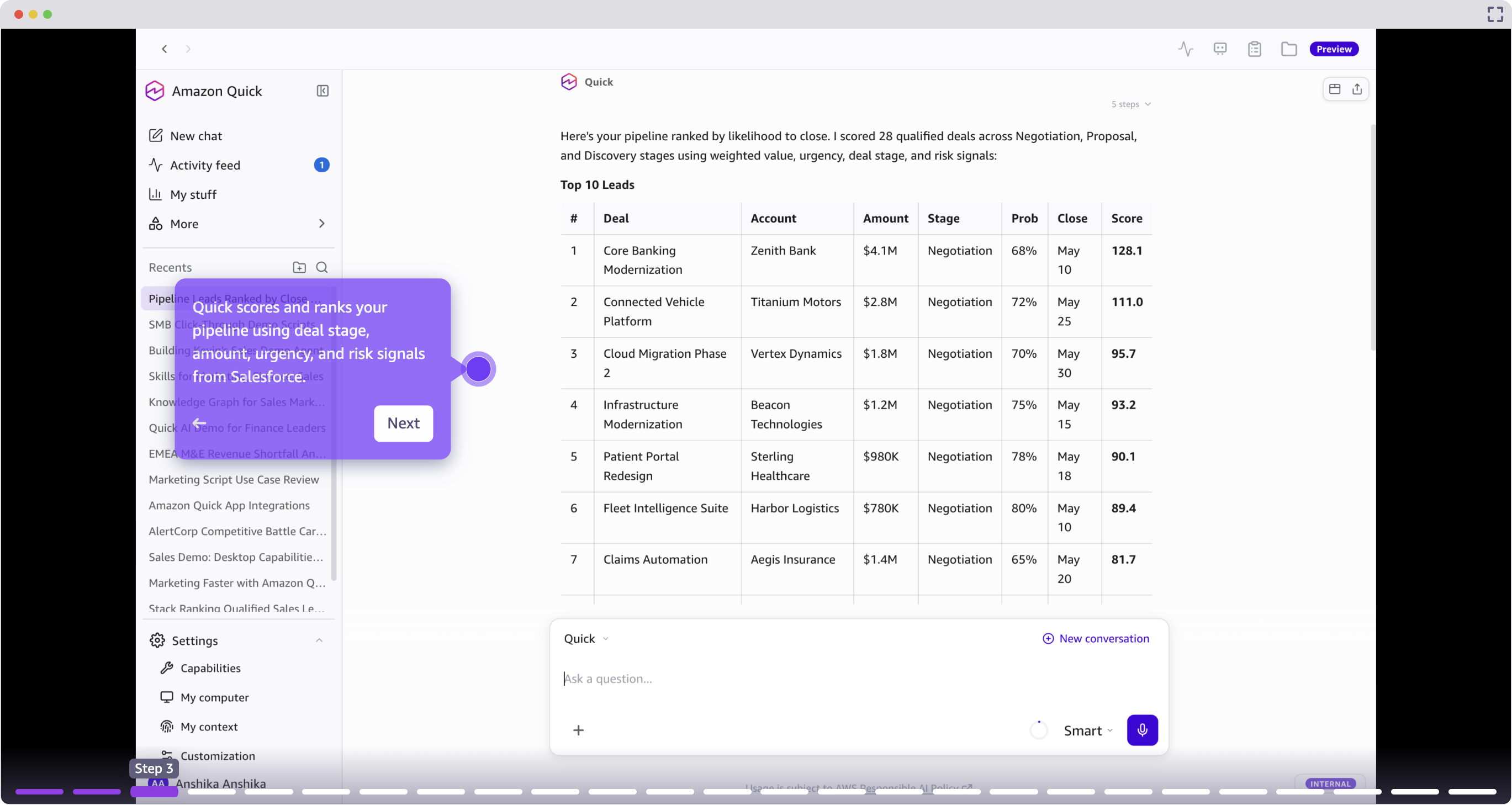
The user provides a natural language prompt, for example “rank my pipeline”, and Quick aggregates data across connected systems to produce a prioritized view. Deals with stalled progression, overdue follow-ups, or competitive pressure surface at the top.
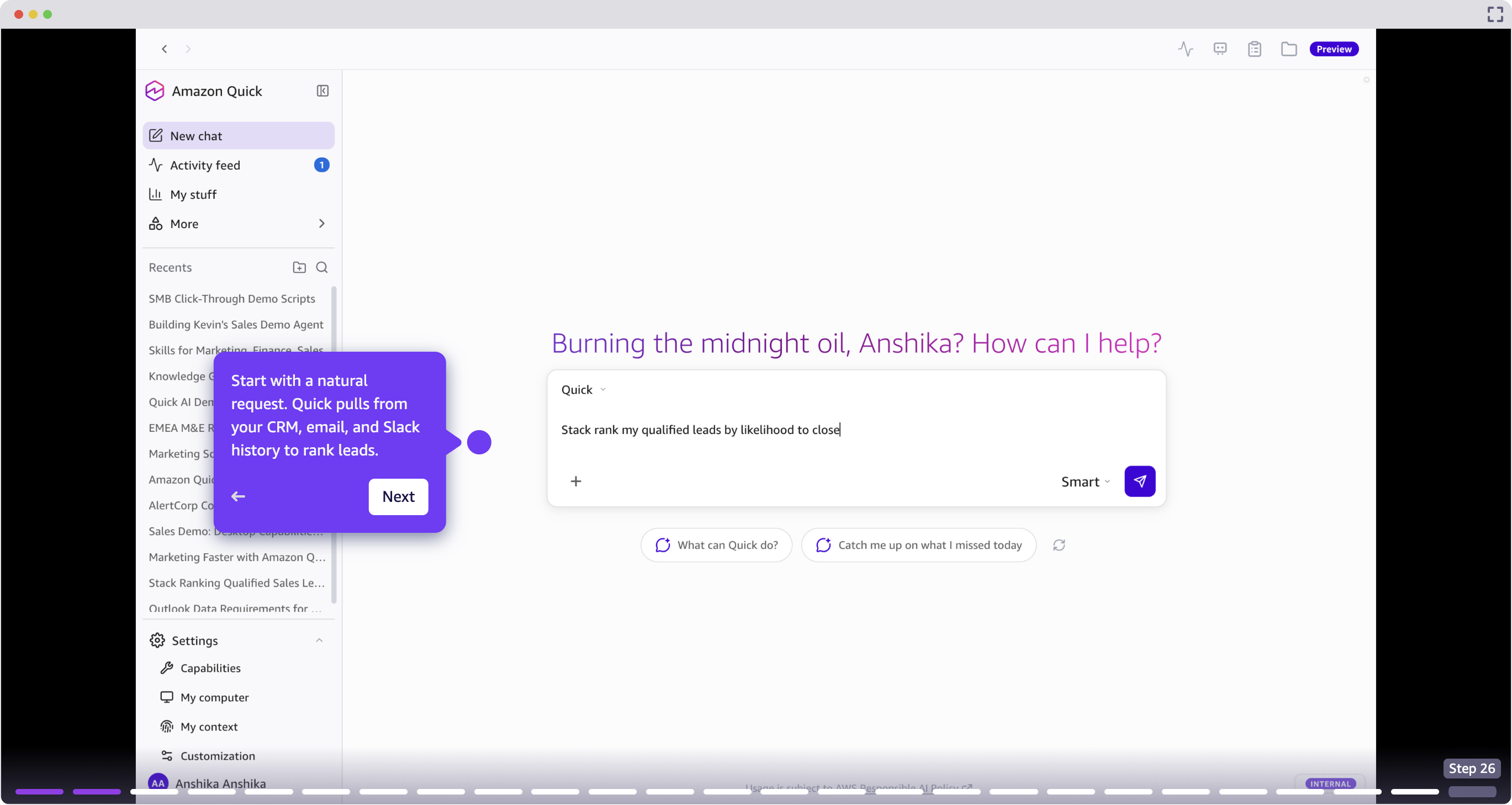
Risk detection and next steps
For each deal, Quick identifies specific risk signals such as stalled email threads, missed follow-ups, and competitor mentions, and recommends concrete next actions. Sellers can trigger a follow-up skill directly from the conversation without switching context.
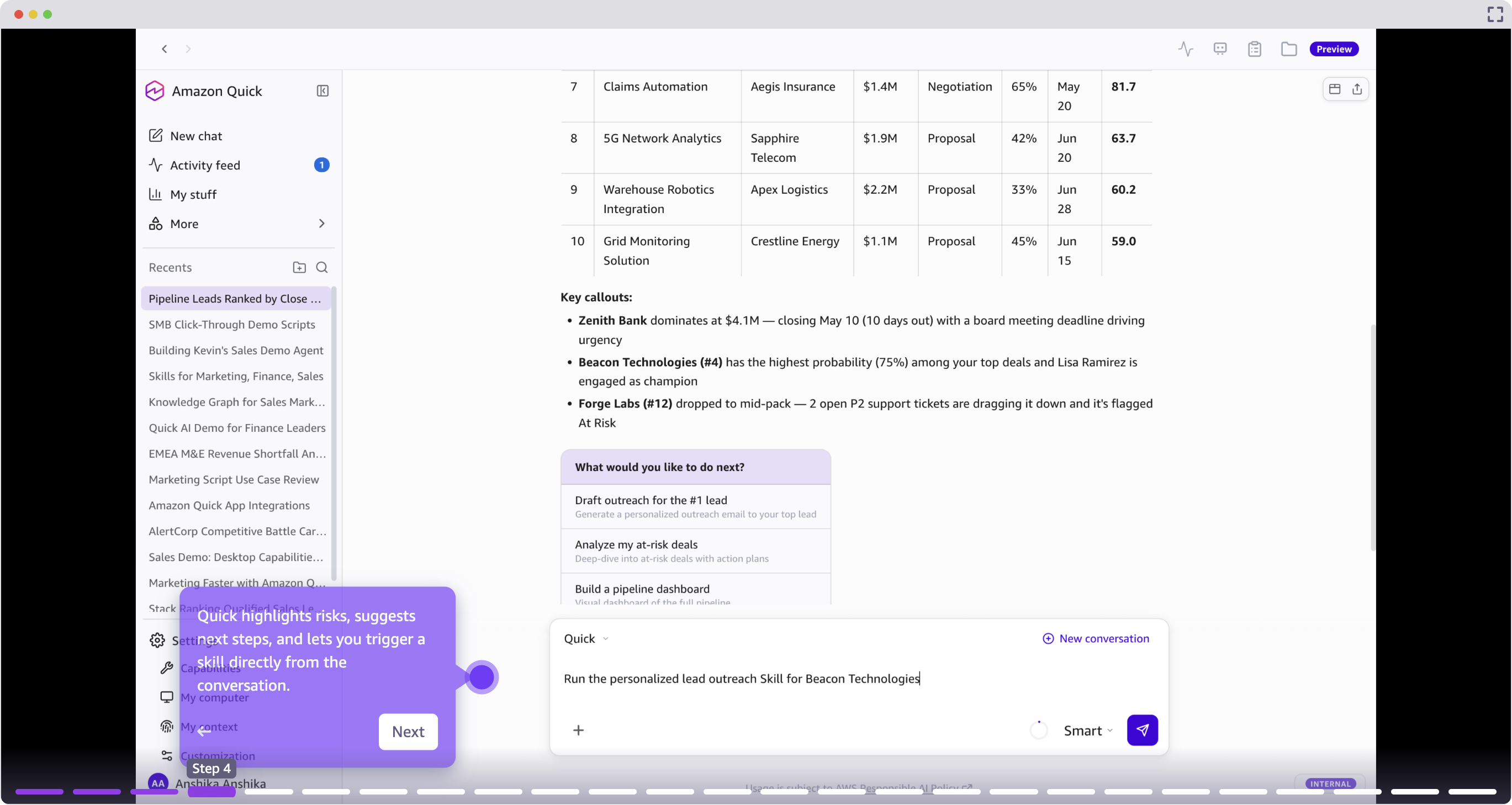
Personalized outreach and email engagement: craft messages that resonate in seconds
Now that you’ve identified your highest-priority prospect, it’s time to reach out. Traditionally, crafting a message that’s sufficiently personalized required you to manually search across your CRM, internal documents, and external signals like the company’s website, recent press releases, and your prospect’s LinkedIn page. The alternative is to send a generic email message that will almost certainly be ignored.
Quick removes this tradeoff, helping you craft highly tailored outreach that references specific context such as recent company news, pain points from past interactions, and relevant use cases, without hours of manual research.
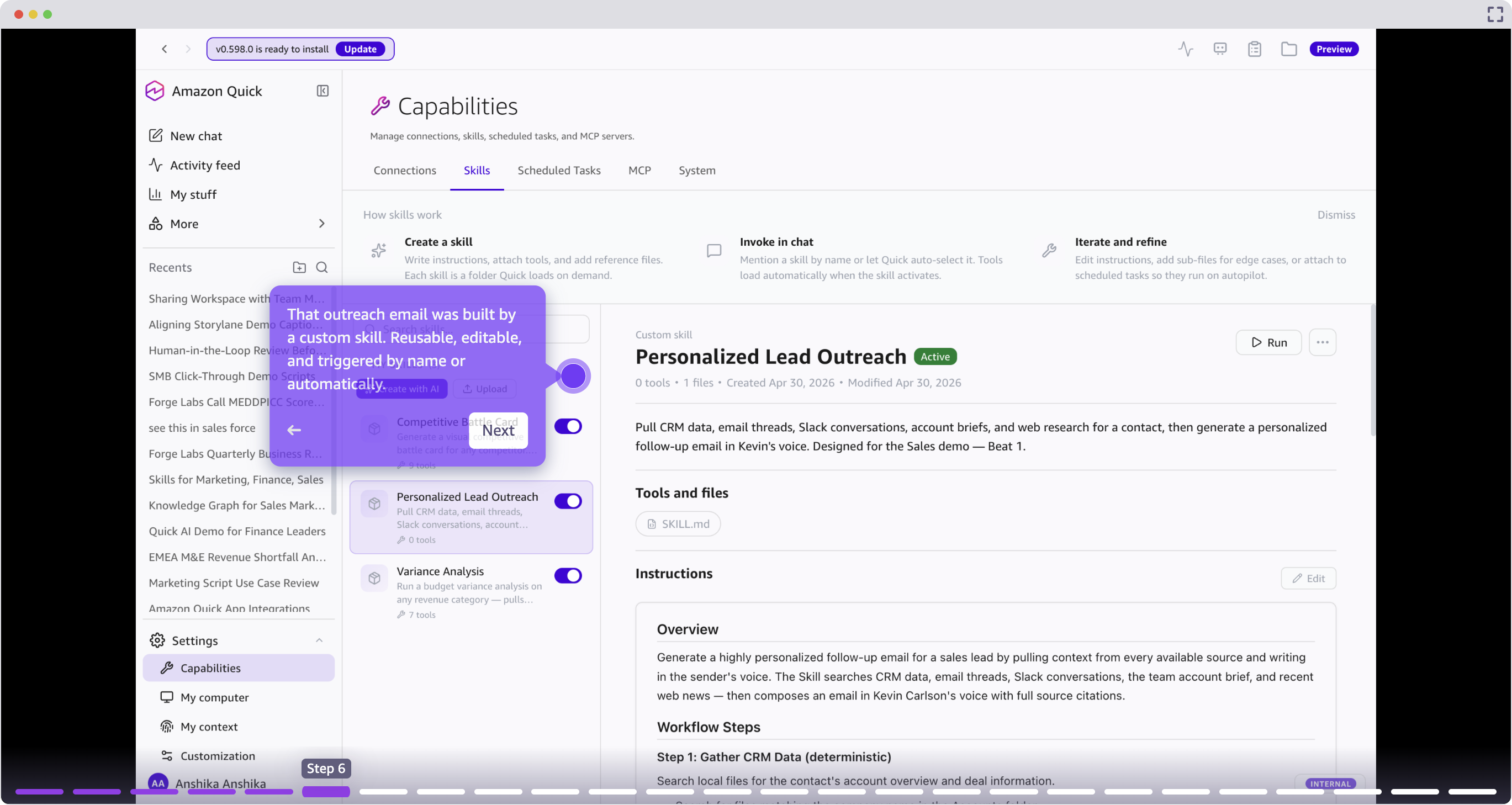
Because this is a recurring challenge, you can create a skill using Amazon Quick: a reusable, automated workflow that runs a series of steps on your behalf. In this case, we tell Quick to “research a prospect by pulling data from multiple sources (CRM, email threads, Slack conversations, account briefs, and web research), then generate a personalized outreach message.” You use this skill for the current prospect, but you can repurpose it across all your accounts going forward.
This step requires you to integrate Outlook with Amazon Quick.
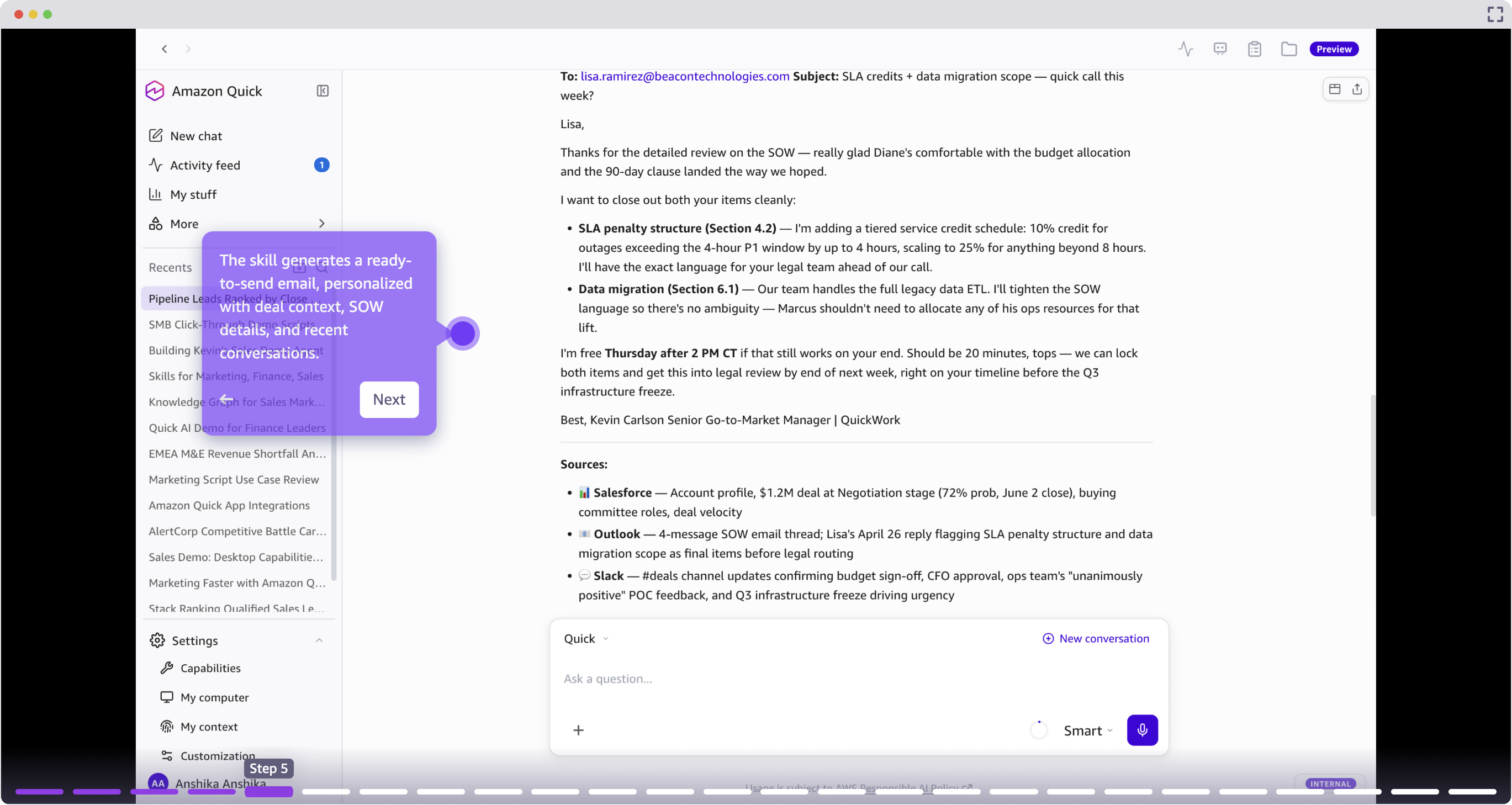
This outreach is powered by a custom skill: a reusable workflow that any team member can trigger by name or configure to run automatically when conditions are met. After reviewing the email and providing any feedback, you can send it directly from Quick.
With the extensions for Microsoft 365, you can also work directly inside Outlook or Teams. Quick surfaces as a side panel within your email client, so you can generate personalized outreach, pull account context, and refine messaging without ever switching tabs.
Activity monitoring: start every day with clarity
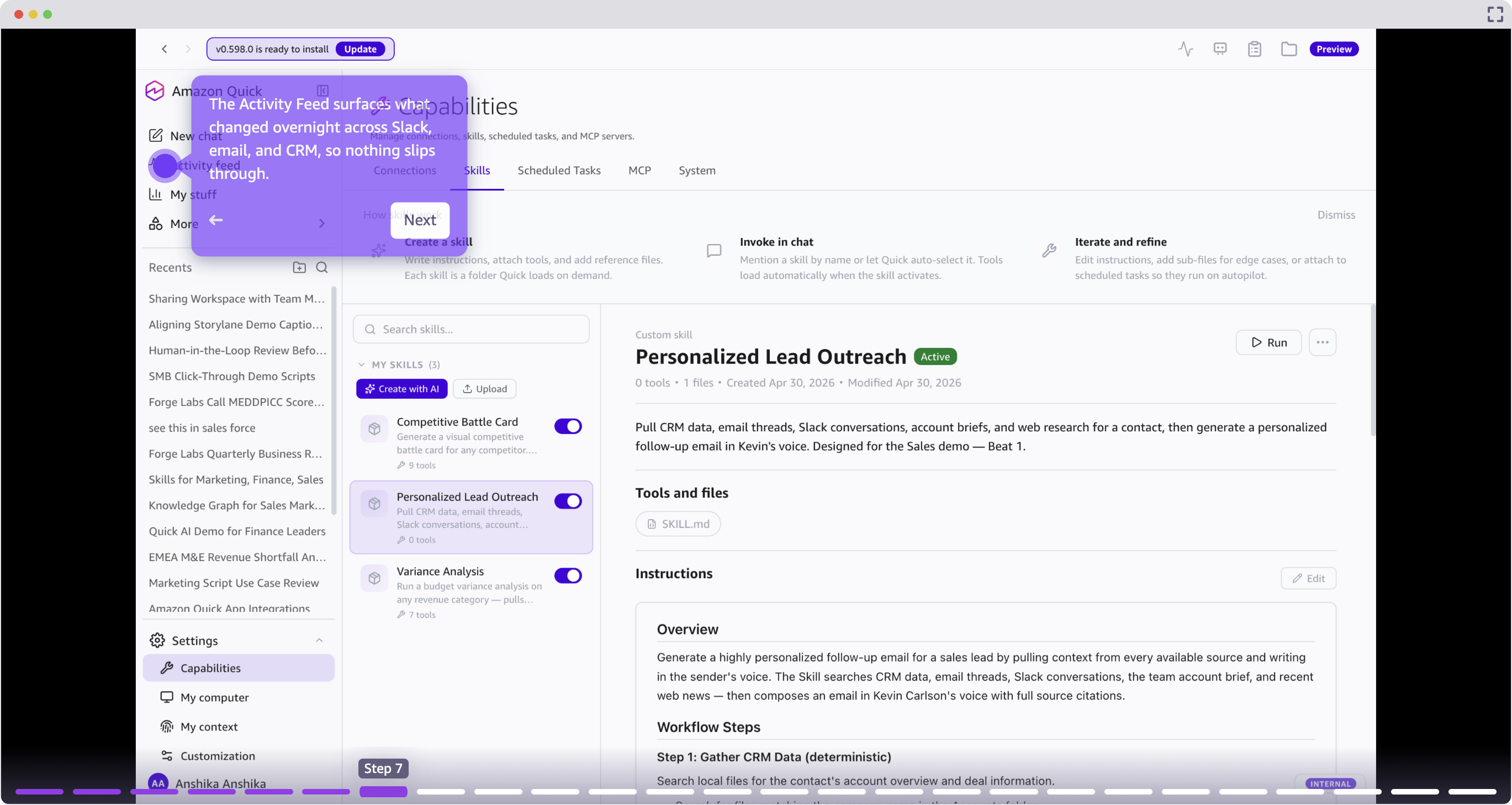
The Activity Feed surfaces changes that occurred overnight across Slack, email, and CRM, prioritized by relevance to the seller’s active deals. This replaces manual morning triage across multiple tools with a single consolidated view.
Account intelligence: prepare to close with confidence
The customer agrees to meet the following week to discuss your proposed solution. Success! But now comes the prep work. Traditionally, you’d spend multiple hours preparing, toggling between Salesforce for deal history, ServiceNow for support tickets, your email client for past conversations, and a search engine for industry context. By the time you’ve pieced together a full picture, you’ve burned an hour.
You can ask Quick to create a one-page meeting prep document with the account snapshot, attendee bios, questions, and risks. Link Quick Chat to a Quick Space, a centralized knowledge repository where you can organize documents, data sources, and files that Quick can reference when answering questions or finishing tasks.
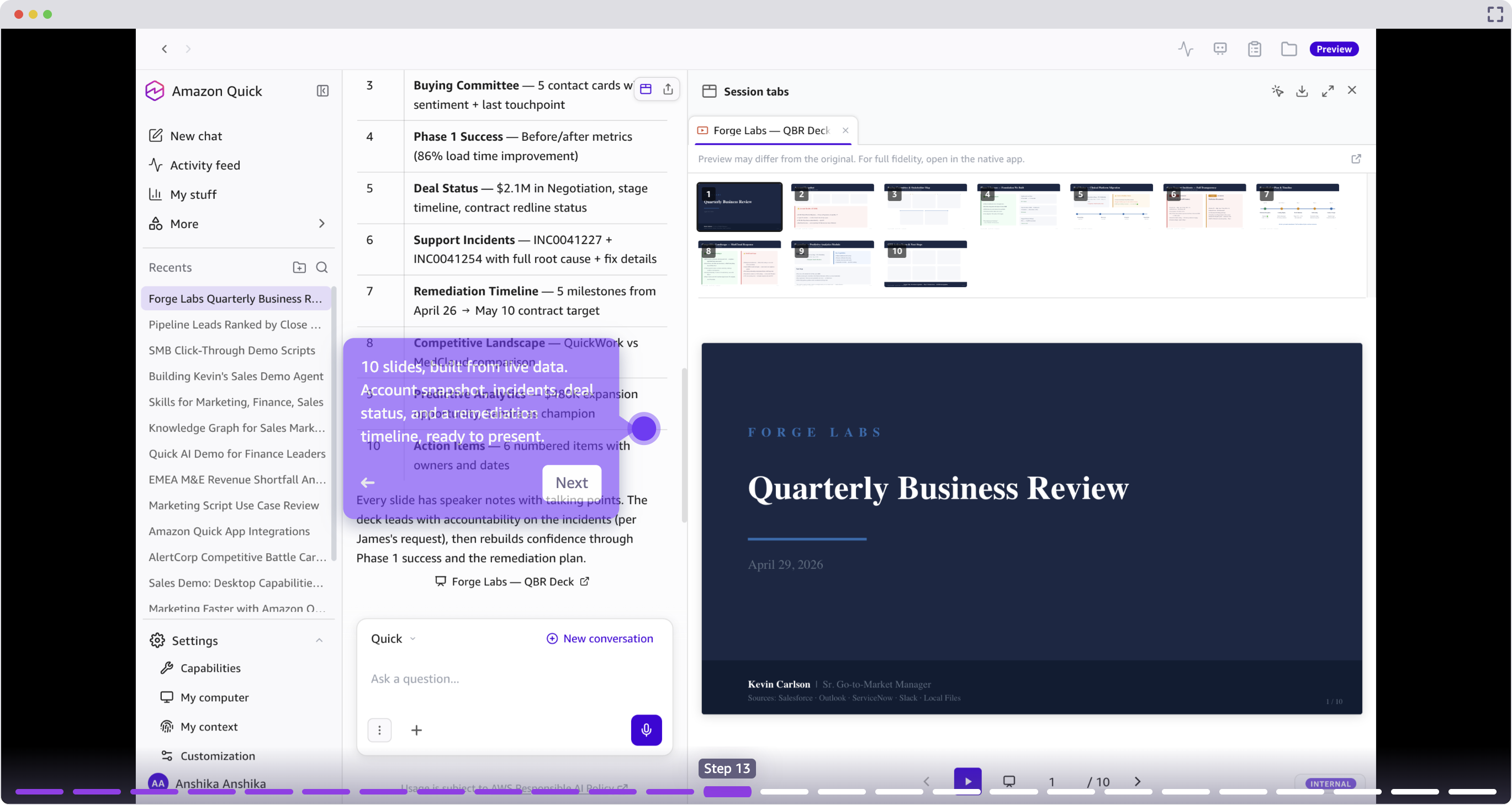
When preparing for a Quarterly Business Review (QBR), Quick can go further by outlining and building a full presentation deck from deal files, support incidents, and email threads. The seller reviews the proposed outline, selects a theme, and approves the build.
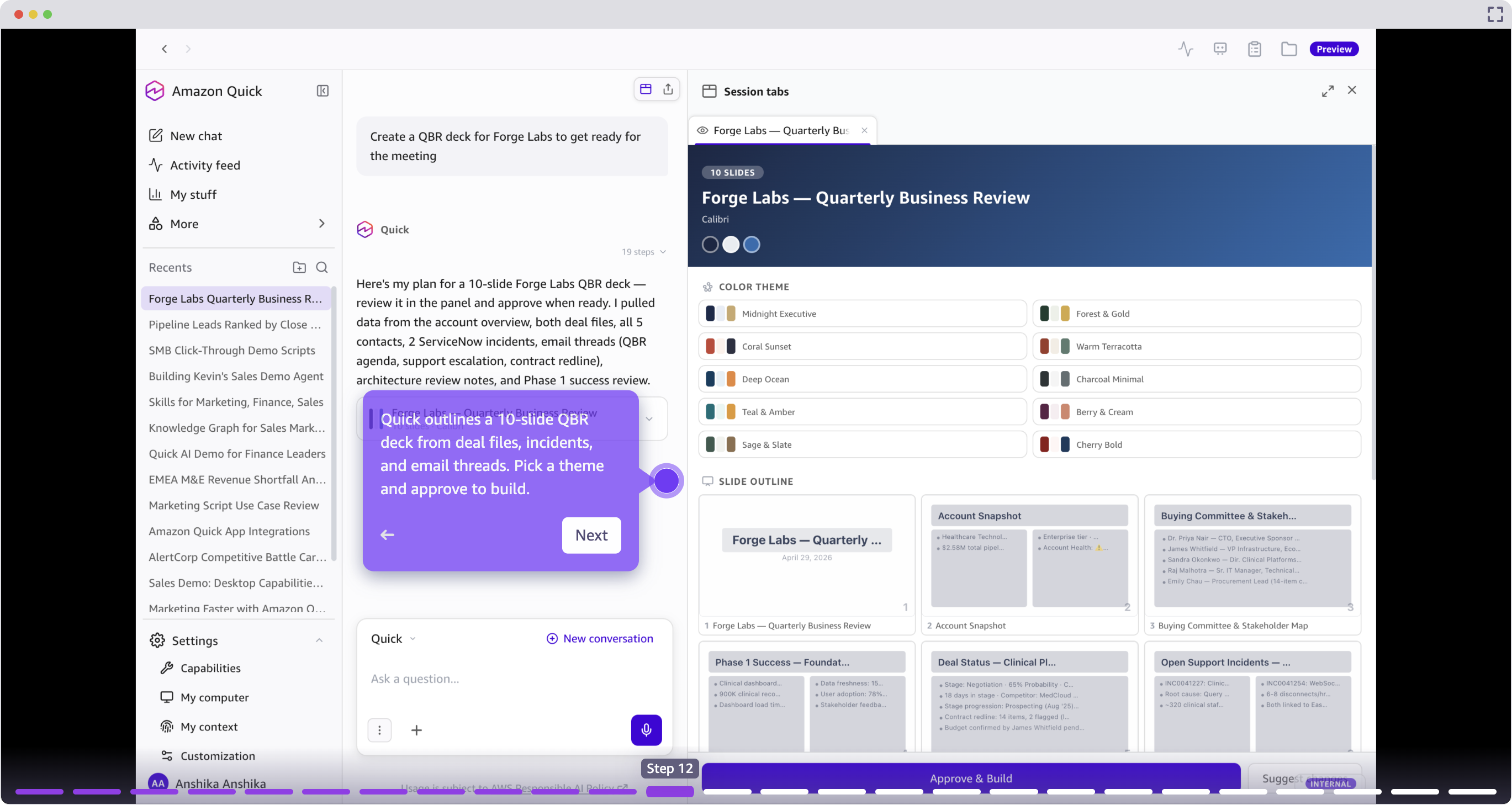
The resulting deck includes an account snapshot, incident timeline, deal status, and remediation plan, built from current data rather than manually assembled from multiple sources. A few minutes of prep instead of hours.
Call transcript scoring: evaluate every conversation against your methodology
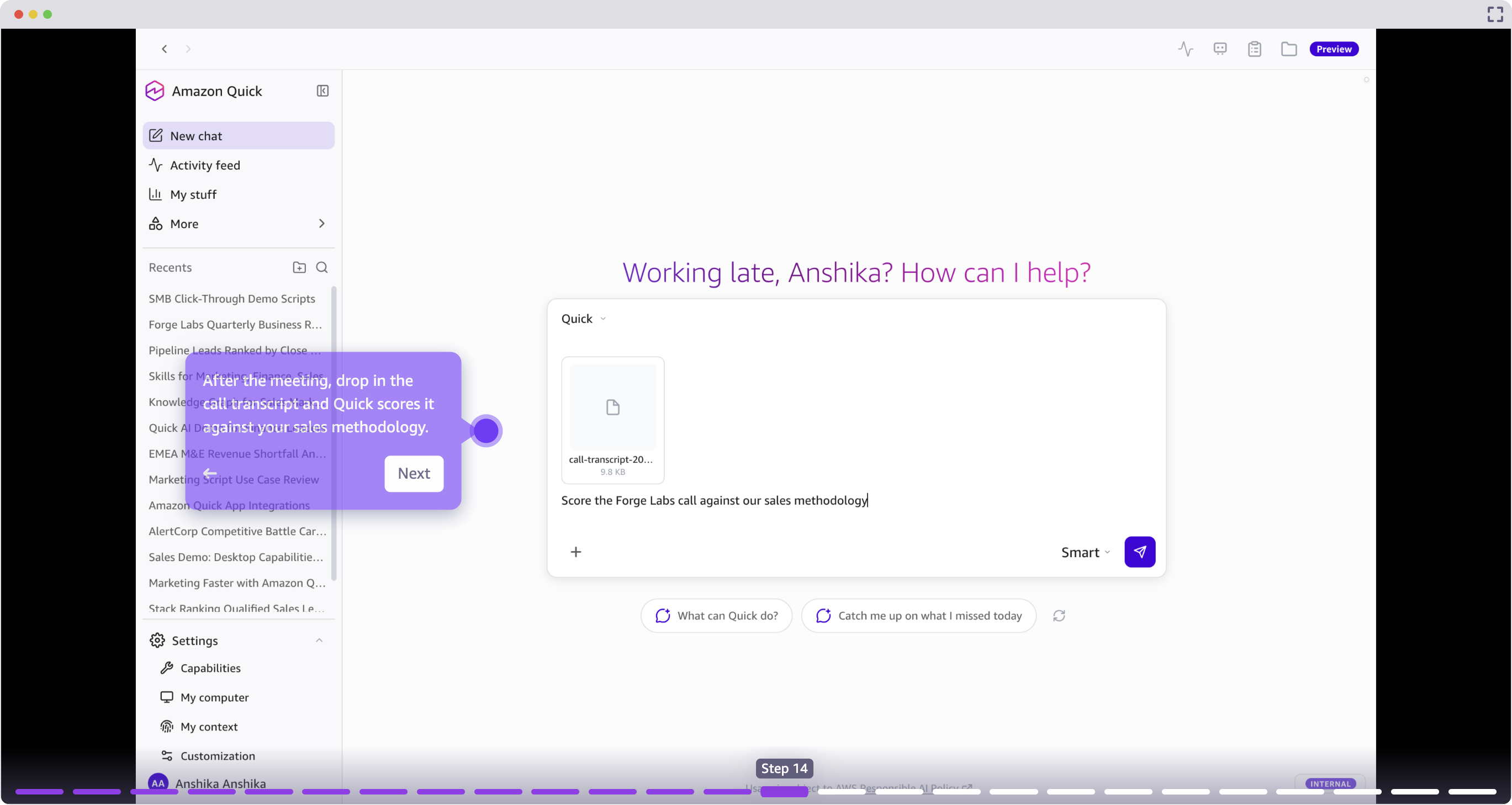
After a meeting, sellers can drop a call transcript into Quick for automated scoring against their sales methodology, such as MEDDPICC, BANT, or a custom framework. Quick identifies what was covered, what gaps remain, and provides a structured assessment of deal health based on the conversation.
CRM automation and activity logging: keep the system of record accurate
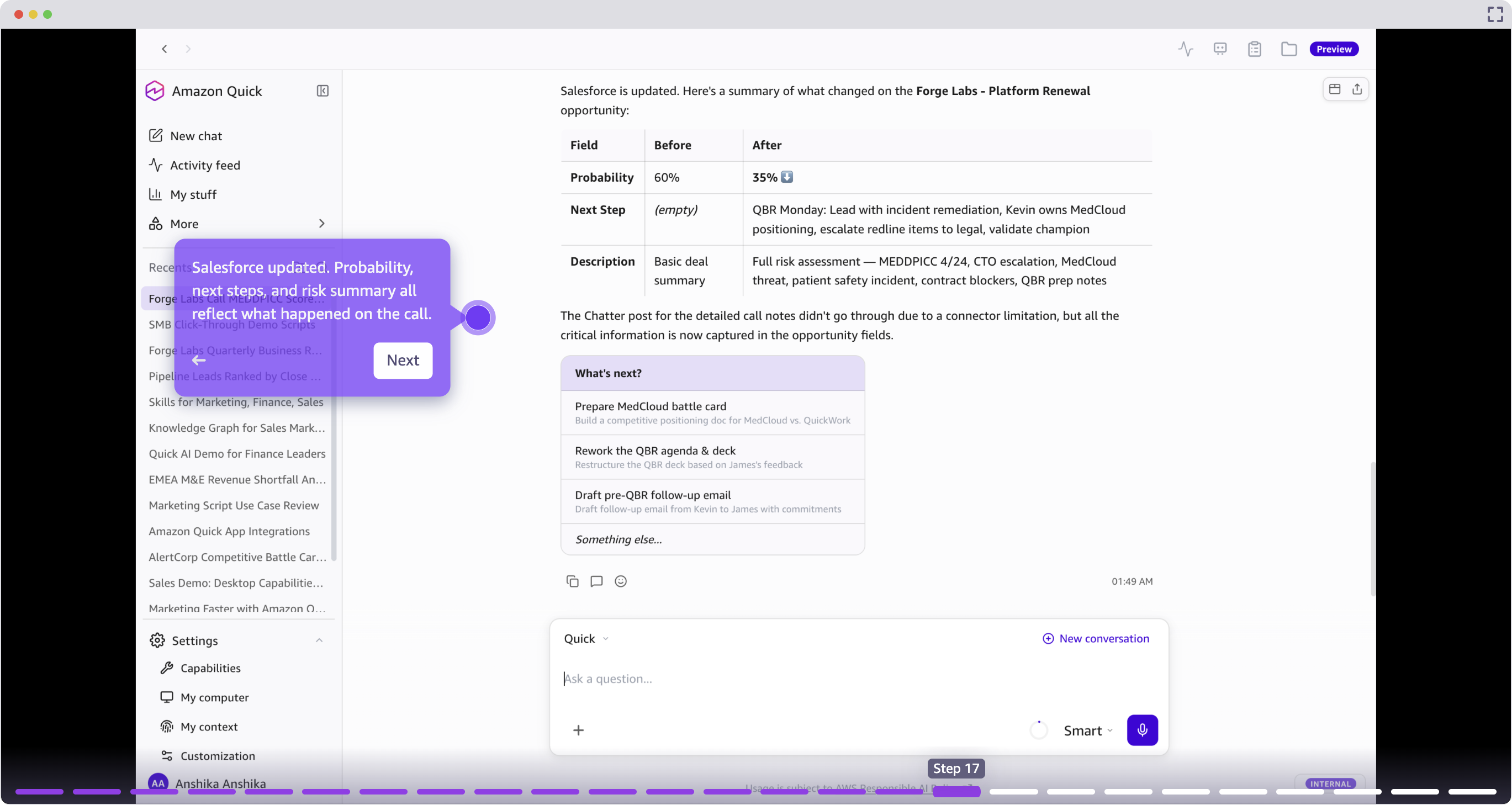
Traditionally, every interaction requires 15–20 minutes of CRM updates that are often difficult to prioritize while juggling other time-sensitive customer interactions. As time passes between a meeting and updating Salesforce, context gets lost and details slip through the cracks.
Following call analysis, Quick pushes structured updates to Salesforce, including deal probability, next steps, risk flags, and a conversation summary. This keeps the system of record accurate without requiring manual data entry.
Custom applications from natural language: build tools without code
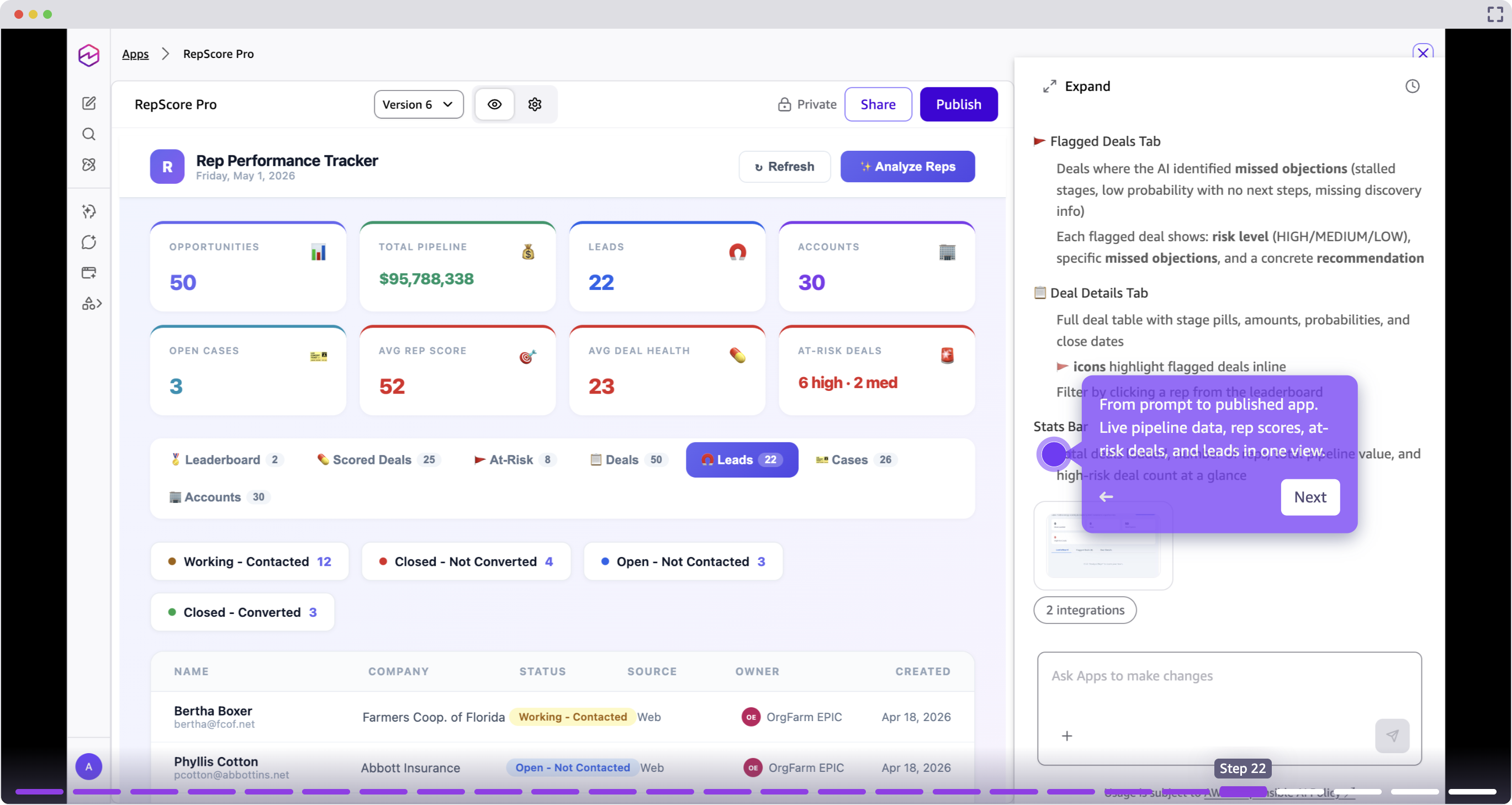
Quick lets sellers and sales operations teams build interactive applications from a natural language prompt, automatically reading connected data schemas and scaffolding a live application without writing code.
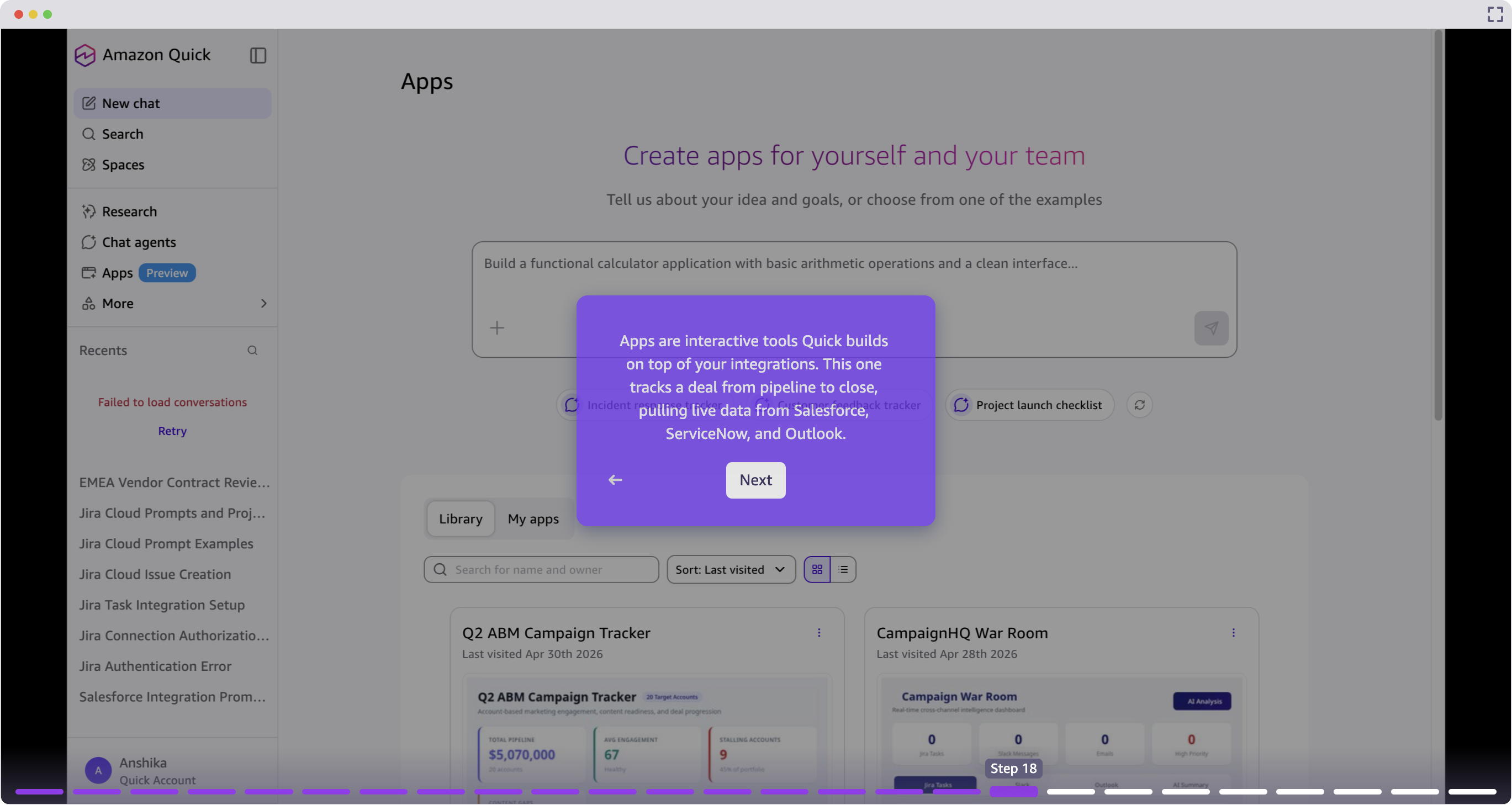
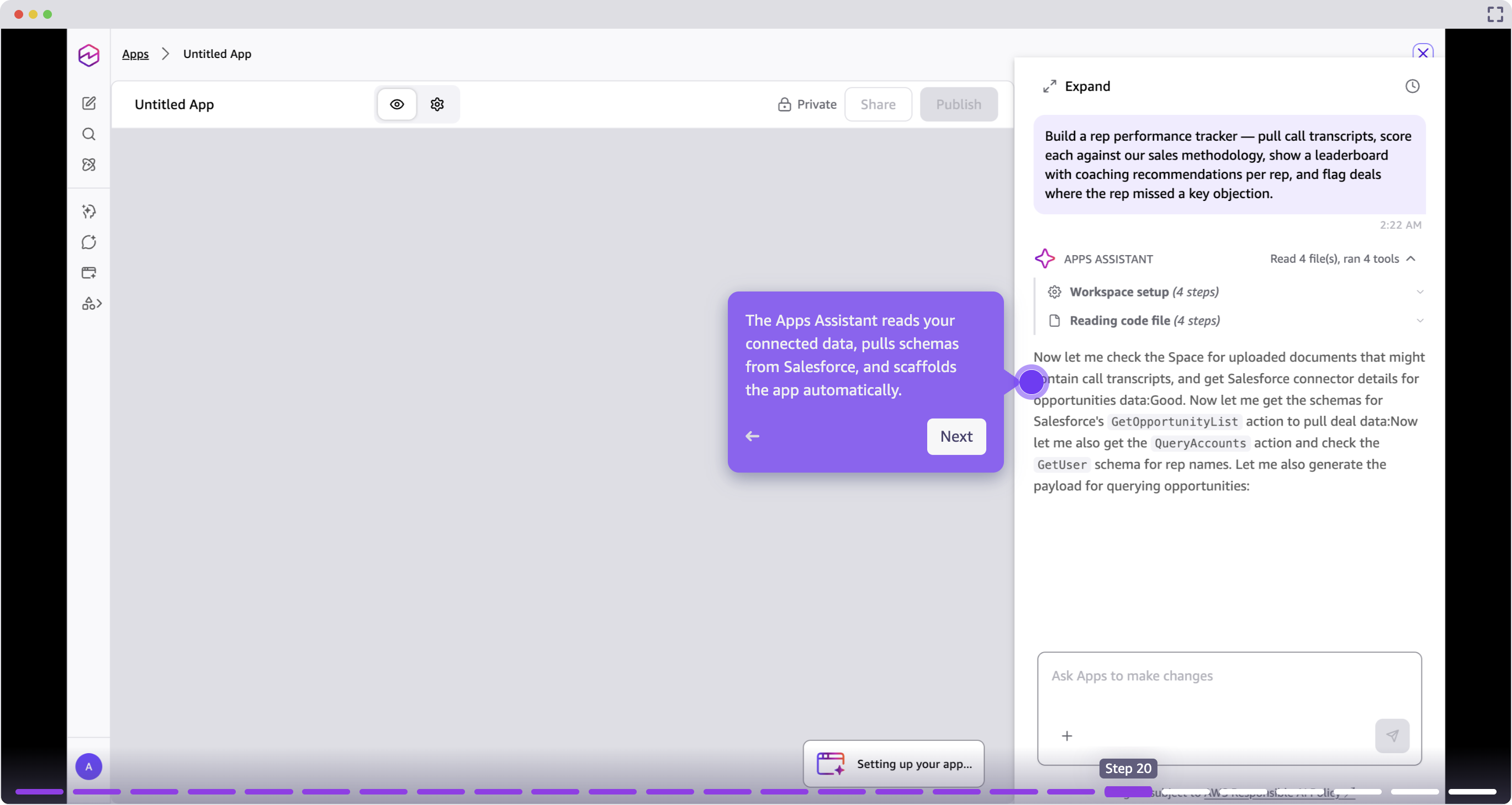
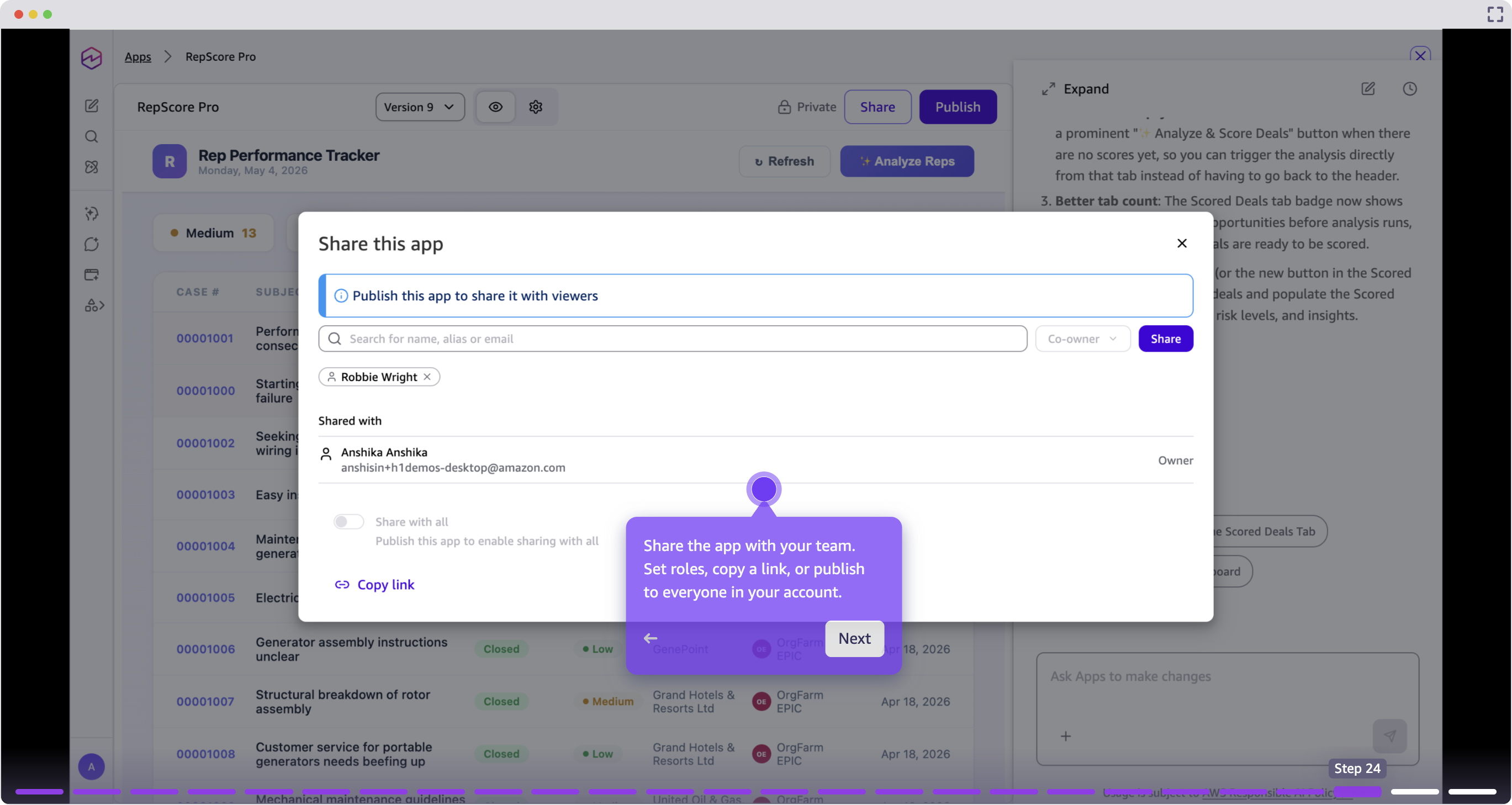
The resulting application is live, shareable, and iterable. You can add features, change layouts, or connect new data sources with follow-up prompts.
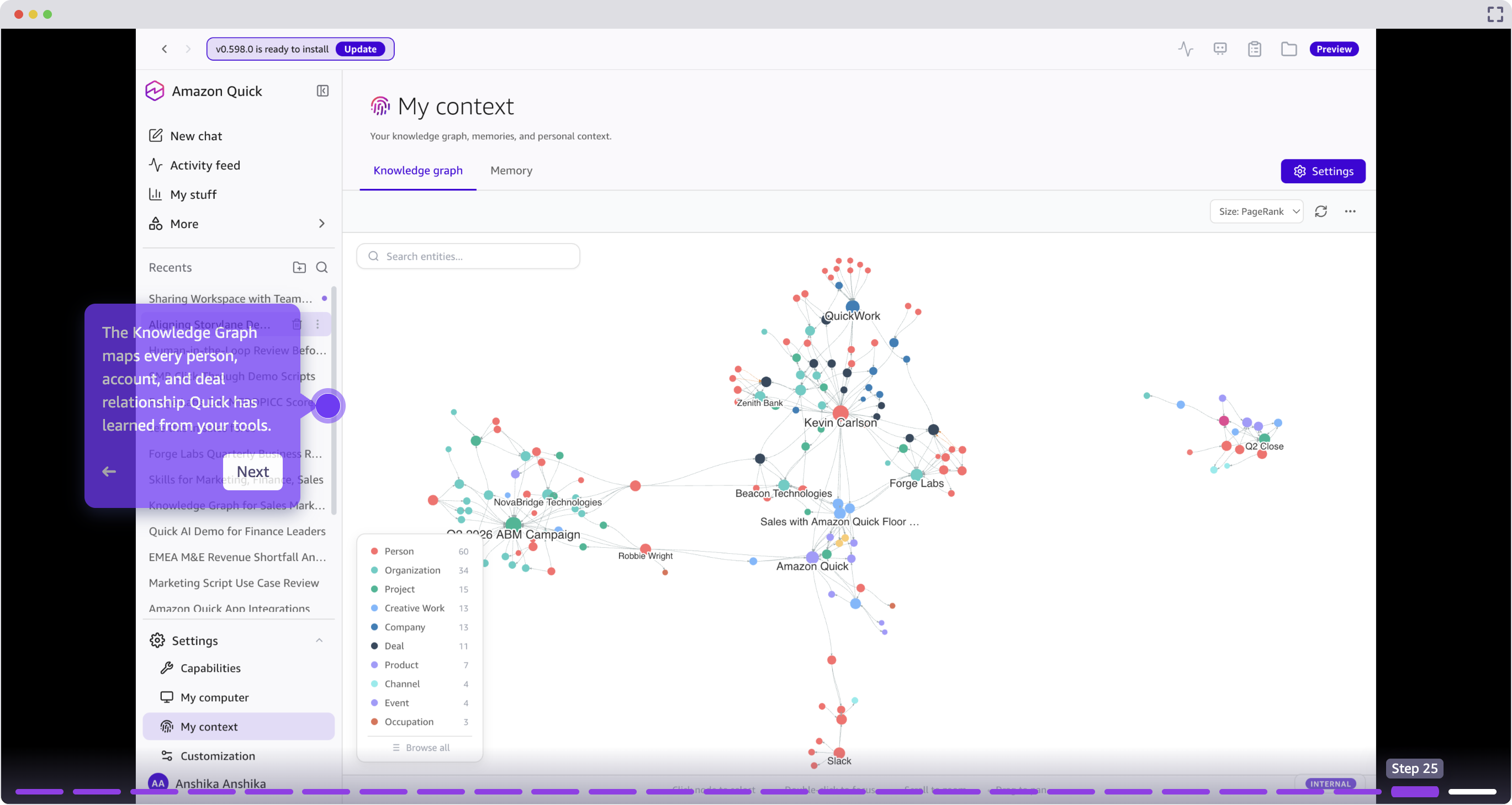
Knowledge Graph: map relationships across your book of business
The Knowledge Graph maps relationships between people, accounts, deals, and interactions that Quick has learned from connected tools. Sellers can query relationship history, identify warm introduction paths, and understand account structures without manual research.
Getting started
This post demonstrated a full sales workflow in Amazon Quick, from morning pipeline review through personalized outreach, meeting preparation, call scoring, CRM updates, custom application creation, and relationship mapping. Each capability connects to the next, creating a continuous workflow that keeps sellers in flow rather than switching between tools.
The following table summarizes the capabilities covered in this post.
| Capability | Function |
| Pipeline scoring | Rank deals using live CRM signals. |
| Risk detection | Surface stalled deals and competitive threats. |
| Personalized outreach | Generate context-aware email messages from deal history. |
| Custom skills | Codify and share reusable workflows. |
| Activity Feed | Monitor overnight changes across systems. |
| Meeting prep and QBR decks | Build presentations from live account data. |
| Call scoring | Evaluate transcripts against methodology. |
| CRM updates | Push structured updates to Salesforce. |
| Custom applications | Build interactive tools from prompts. |
| Knowledge Graph | Map relationship intelligence. |
What could your day look like? Start with one workflow, such as lead scoring, meeting prep, or CRM automation, and experience the difference. Explore the Amazon Quick for Sales page to learn more, or watch Quick in action in the Sales demo and full walkthrough.
About the author